





Is AI recommending your competitors instead of you?Get your free AI scorecard

Website Migration Agency for B2B

Move to Webflow without losing rankings

A migration is where SEO equity goes to die if it's done carelessly. As a website migration agency for B2B teams, we move sites from any platform to Webflow with full redirect mapping, SEO verification, and QA, so you keep the traffic you spent years earning.

Website migration illustration moving from WordPress and Squarespace to Webflow

The Problem

A careless migration can erase years of organic equity.

  • 01

    Rankings fall off a cliff

    The redesign launches, redirects get missed, and three months of traffic vanishes. By the time anyone notices, the rankings are gone.

  • 02

    Broken links everywhere

    Old URLs 404, internal links point nowhere, and the analytics break. The new site looks great and quietly leaks trust with Google.

  • 03

    Stuck on the old platform

    WordPress plugins keep breaking and every change waits on a developer. You want out, but the migration feels too risky to start.

What We Do

Map every URL. Verify every redirect. Then launch.

We treat a migration as an SEO project with a design attached. Our SEO migration services start before anything goes live: we map the old site to the new one URL by URL and verify the redirects, so launch day is uneventful by design.

  • One team for strategy, design and Webflow development

    Redirect mapping, done right

    We map every existing URL to its new home and set 301s for the lot, so search engines and bookmarks follow you over cleanly.

  • Ship fast illustration with a lightning bolt icon

    SEO verified before launch

    We carry over titles, metadata, and structure, then check rankings and indexing against a baseline so we catch any drop before it costs you.

  • Custom Webflow training video lesson

    Custom training for your exact site

    We record a full library of Loom tutorials built around your site's own pages and components. When someone on your team needs to update the homepage hero or add a new case study, they watch a two-minute video made for exactly that page. No tickets, no waiting, no guessing.

Our Process

How Our Website Migration Process Works

Our website migration services protect rankings by finishing the inventory before the build starts. We catalog every URL, ranking, and tracking tag, map each old URL to its new home, and migrate content with scripts a person checks. Then we rebuild your analytics, test every redirect and tag, and track Search Console against the baseline for 30 days after launch.

  1. 01

    Inventory and Baseline

    We crawl every URL, export the content, and record rankings, traffic, and indexing from Search Console. This baseline shows which pages bring in traffic and leads. After launch, we measure the new site against it.

  2. 02

    One-to-One Redirect Map

    Every old URL gets one 301 redirect that goes straight to its closest new page. We never send old pages to the homepage. We also carry over the redirects your current platform already runs.

  3. 03

    Build and Content Migration

    We build in Webflow and move content into CMS collections with scripts, so every post, field, and image comes over the same way. A person reviews a sample of migrated pages and approves it before the rest of the library moves.

  4. 04

    Analytics and Tracking Rebuild

    Analytics is what breaks most often at launch, so it gets its own step. We map your Google Tag Manager setup in a spreadsheet, rebuild every tag and conversion event on the new site, and fix the tracking gaps we find along the way. Your reports keep working from launch day.

  5. 05

    Pre-Launch Checks

    We test every redirect and check each Google Tag Manager tag and form. We also compare titles, metadata, and schema with the old site, and fix anything that fails before launch. Our website redesign SEO checklist lists the same checks.

  6. 06

    Launch and Monitoring

    We submit the new sitemap and track Search Console against the baseline for the first 30 days. If a page drops in rankings, we know which one. Our SEO and AEO team then works from the same data.

Deliverables

What You Get From Our Webflow Migration Services

  • A complete URL map with 301 redirects for every old page
  • Titles, metadata, and structure carried over and verified
  • A rankings and indexing baseline to confirm no traffic loss
  • Webflow training and custom Loom tutorials for your exact site
  • A Google Tag Manager map with every tag checked before launch

Our Methodology

GrowthOS: a predictable growth system for sales-led B2B brands

Our methodology connects brand, discoverability, conversion, and WebOps around a single outcome: predictable pipeline. By tying every service to the four objectives your website has to hit, we make sure each project builds on the last and moves your team toward revenue, not just activity.

Get Found

Organic discoverability (SEO + AEO) that ranks you for the searches that drive demos, and gets you cited when AI answers your buyers’ questions.

Get Chosen

Conversion rate optimization (CRO) that turns the traffic you already have into booked demos, with a steady cadence of tested changes.

Be Understood

Brand redesigns and refreshes, with messaging and design that show buyers what you do and why you’re different on the first visit.

Stay Supported

SiteCare managed WebOps: a web ops team that keeps your site fast, accurate, and shipping new pages every month.

Work

Featured work

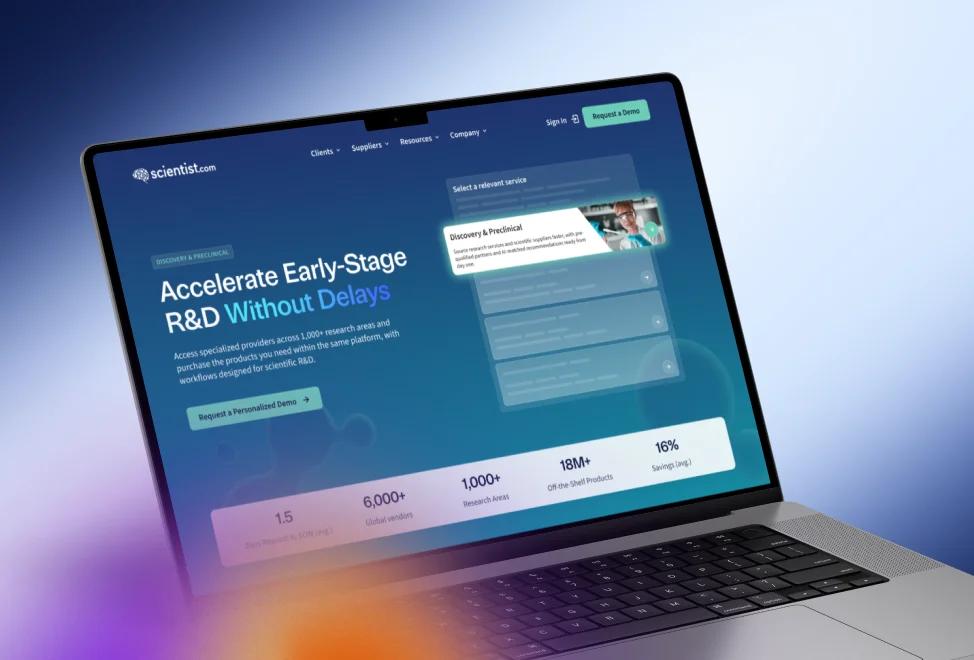
Scientist.com website, consolidated from four source properties into one Webflow site

Scientist.com

Pharma & BioTech R&D

Four source properties consolidated into one Webflow site, with two structured resource hubs and a 20-template design system.


  • 1,200+

    Blog posts migrated from four source properties into two structured resource hubs

  • 35

    Live pages designed, built, and launched in about 10 weeks

View case study: Scientist.com

Don't take our word for it. See what our clients have to say

Website Migration FAQs

Book an Intro Call
What is a website migration?

A website migration is any change that moves a site's content, URLs, or platform, such as switching from WordPress to Webflow, changing domains, or restructuring URLs. Search engines have to relearn the site afterward, so rankings are at risk unless every old URL redirects to its new page and the content carries over intact.

Will migrating to Webflow hurt our SEO rankings?

Not if the redirect mapping is done properly, and that's where careless migrations fail. Losing SEO and organic traffic is the risk that actually costs money, and it's almost always preventable. Protection starts with proper 301 redirect mapping and genuinely understanding the site structure. We identify the pages with high intent and high traffic, and those either get recreated, redesigned, or carefully redirected. Nothing valuable gets left to chance.

How do you migrate a website without losing organic traffic?

The process starts with a full inventory: every URL, every piece of content, every ranking worth protecting, and the entire analytics setup. Then we build in Webflow, map content into CMS collections, build the redirect plan, and verify every tag before a monitored launch. We benchmark rankings before launch and monitor Search Console after, so if anything dips we know exactly which pages to check. Ongoing SEO work then starts from that baseline.

What do SEO migration services include?

SEO website migration services protect search rankings while a site changes platform or structure. Ours include a full URL inventory, a Search Console baseline, a one-to-one 301 redirect map, and carried-over titles, metadata, and schema. We check tags and forms before launch and monitor Search Console after it, so any drop traces to specific pages.

What determines the cost of a website migration?

URL count is the first driver, followed by how much of the content library moves and how complex the redirect map gets. The source platform matters, since a WordPress export behaves differently from Optimizely or Adobe Experience Manager. The biggest variable is whether this is a straight move or a move plus redesign, because a redesign means new page designs and new content on top of the migration work. Analytics remapping is scoped separately, since Tag Manager rebuilds vary enormously by how much tracking already exists.

Should we migrate to Webflow or rebuild on our current platform?

It comes down to what issues you have with your current CMS. If you like it, your team feels comfortable in it, and your workflows are built, we wouldn't push a migration. Redesign on the platform you know. But if your team doesn't feel comfortable making updates, and there's a backlog sitting with your technical or product team because marketing can't do it themselves, those are great reasons to look at a platform built for marketing teams. With Webflow you also get the growth add-ons and built-in localization for multiple languages. Our Webflow vs. WordPress comparison covers the trade-offs in more detail.

Can our team update the site ourselves after the Webflow migration?

Yes. We set up the Webflow CMS so your marketing team can publish pages and posts without a developer, and we record Loom tutorials for your site's own pages. When you'd rather hand off updates, website maintenance keeps the same team available for new pages and fixes.

Which platforms do B2B companies most often migrate to Webflow from?

WordPress, by a wide margin. At the enterprise level, we've seen a lot of movement off Optimizely and Adobe Experience Manager lately. Framer also comes up often. Companies compare it with Webflow before they move. Our Webflow vs. Framer comparison covers that choice. Framer skews startup; Webflow is where enterprise businesses land. The migration process is largely the same regardless of source, since the inventory and redirect work doesn't change.

How do you migrate a large content library without losing rankings?

Preserve URL structure wherever possible, and 301 everything that changes. Metadata, schema, and internal linking come over with the content, since those are half of why the pages rank. For the migration itself, large libraries move into Webflow CMS collections programmatically, then the top-traffic pages get manual QA. We benchmark rankings before launch and monitor Search Console after, so any dip points at a specific set of pages.

How long does a website migration take?

Our Scientist.com migration moved 1,200+ posts from four sites into one and launched in about 10 weeks. Across projects, the inventory phase sets most of the timeline. Cataloguing every URL, every ranking worth protecting, and the full analytics setup takes as long as the site is complicated, and shortcutting it is how migrations go wrong. A straight platform move is the fastest path; a move combined with a redesign runs on the redesign's schedule. Verification adds fixed time at the end, since every redirect and every tracking tag gets checked before launch.

Contact us

Ready to Move Without Losing Rankings?

Every migration starts with a conversation. We'll look at your current site, what it ranks for, and what has to survive the move, then walk you through how we'd run it.

Book an Intro Call