

 Webflow Enterprise Partner







Cohere Health
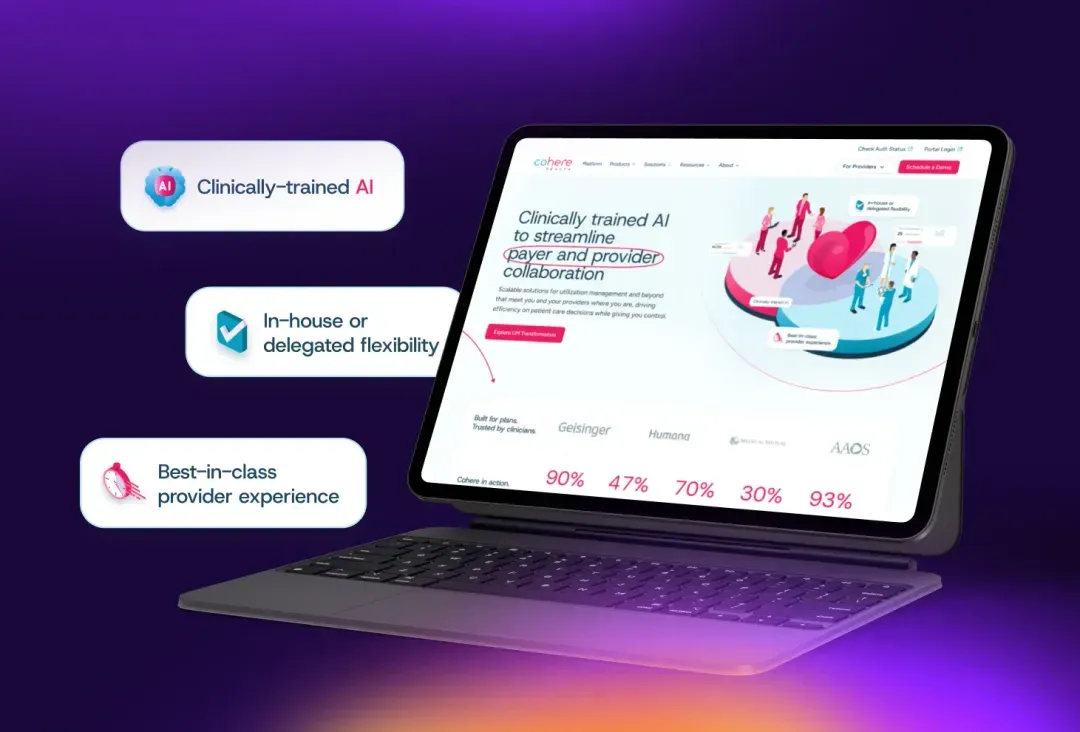
B2B SaaSA redesign and WordPress to Webflow migration for an AI platform that helps payers and providers speed up prior authorizations.
- 40%
More qualified leads from the new website
- 48.8%
Increase in total traffic
We run WordPress to Webflow migrations for B2B companies that are tired of waiting on developers. We map every URL, move your posts and custom fields into the Webflow CMS, and test every redirect before launch, so you keep the rankings you’ve earned.
The Problem
A new landing page or a pricing update goes into the dev queue. Campaigns launch late, and the marketing team stops asking for changes.
Your forms, SEO fields, and page builder each come from a different plugin. One update breaks another, and someone has to find out which.
Each plugin adds code to your pages. Over time, the site gets slower, and fixing it becomes another developer project.
Is It Time?
For most B2B marketing sites, yes. It’s time when your team needs to ship pages without a developer, when plugin updates keep breaking things, or when your designs no longer fit your theme. Webflow handles hosting, security, and updates. If your site has member logins or a custom plugin, we plan how each one moves before the build starts.
For the full comparison, read our Webflow vs. WordPress guide.
Book an Intro CallWhat We Do
WordPress data comes in every shape: custom fields, plugin content, shortcodes, and years of media. We migrate WordPress to Webflow as an SEO project first, so each piece lands in the right place. Our website migration services cover moves from any platform, and this page covers the WordPress details.
Blog posts, case studies, and custom post types move into Webflow CMS Collections, field by field. Shortcodes and theme markup get cleaned out on the way.
Titles, meta descriptions, and Open Graph settings from Yoast or your SEO plugin carry over to Webflow’s SEO fields, page by page.
We re-upload your media library to Webflow’s asset CDN, so images stop depending on old WordPress file paths. Videos hosted in WordPress get a new home before launch.
Each plugin gets a decision: a built-in Webflow feature, an integration, or a small custom build. Forms get reconnected to your CRM and tested before launch.
Webflow keeps CMS pages inside a folder, like /blog/post-name. If your WordPress posts sit at the root of your domain, each one gets a single 301 redirect to its new address. Redirects from your WordPress plugins carry over too.
Our Process
A WordPress to Webflow migration has seven steps. We record your rankings, export and clean the content, build the CMS, and migrate the content with scripts a person checks. Then we rebuild your analytics, test every redirect, form, and tag, launch, and watch Search Console for 30 days. Most of the risk sits in the redirects and the tracking.
We crawl every URL and record rankings, traffic, and indexing from Search Console. After launch, we measure the new site against this baseline.
WordPress exports XML, and Webflow imports CSV. We convert the export, strip out shortcodes and theme markup, and fix special characters that break the import.
We set up Collections that match your post types and fields. Our Webflow development team builds the pages from a component system your marketing team can edit.
Scripts move every post, field, and image, then compare the old site with the new one. A person reviews a sample of migrated pages and approves it before the rest moves.
Analytics is what breaks most often at launch, so it gets its own step. We map your Google Tag Manager setup in a spreadsheet, rebuild every tag and conversion event on the new site, and fix the tracking gaps we find along the way. Your reports keep working from launch day.
We test every 301 redirect, every form route, and every Google Tag Manager tag. Anything that fails gets fixed before the site goes live.
We submit the new sitemap and track Search Console against the baseline for the first 30 days. If a page drops in rankings, we know which one.
Our Methodology
A migration is the one project where every detail matters. GrowthOS focuses on the four objectives your website has to hit, each one feeding into the next, so brand, discoverability, conversion, and support work together.
Rank for the searches that drive demos and get cited when AI answers your buyers’ questions.
Turn the traffic you already have into booked demos with a steady cadence of tested changes.
Messaging and design that show buyers what you do and why you’re different on the first visit.
A web ops team that keeps your site fast, accurate, and shipping new pages every month.
A redesign and WordPress to Webflow migration for an AI platform that helps payers and providers speed up prior authorizations.
More qualified leads from the new website
Increase in total traffic
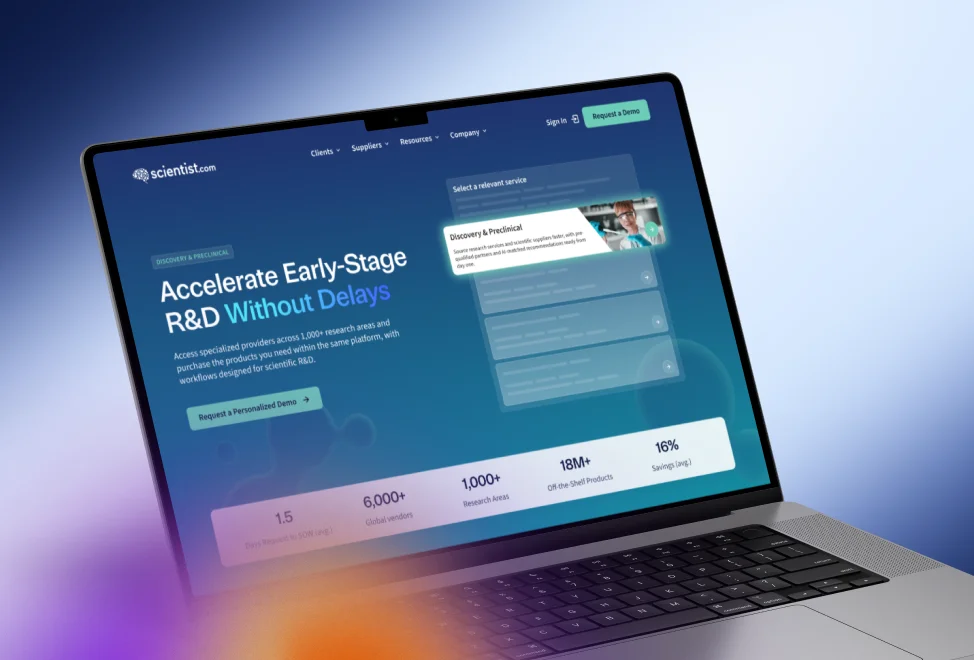
Four source properties consolidated into one Webflow site, with two structured resource hubs and a 20-template design system.
Blog posts migrated from four source properties into two structured resource hubs
Live pages designed, built, and launched in about 10 weeks
Cohere Health redesigned and migrated from WordPress to Webflow:
up48.8%total traffic
“Every milestone across both phases was delivered on schedule.”
Brianna Miller
Director of Demand Generation, Cohere Health
 5.0rating on Clutch
Sidecar Health moved from WordPress to Webflow with Curio:
“Curio Digital exceeded our expectations, delivering the final website in 50% of the originally scoped timeline.”

Eric C.
Director, Account-Based Marketing, Sidecar Health
FusionAuth on working with Curio in Webflow:
“Their depth of knowledge regarding all things Webflow is also incredibly impressive.”

Zach Anderson
Creative Director, FusionAuth
Yes, when every URL is mapped and redirected. Rankings drop when old addresses break or titles and meta descriptions get lost. We record your rankings before launch, give every changed URL a single 301 redirect, and carry over your SEO fields. After launch, we watch Search Console for 30 days, so any drop traces to specific pages.
To convert WordPress to Webflow, start with the content: WordPress exports XML, and the Webflow CMS imports CSV, so it gets reformatted and cleaned first. We rebuild the design in Webflow, move the content into CMS Collections with scripts, carry over SEO fields and media, and redirect every old URL. Webflow’s help center guide shows the do-it-yourself version.
Plugins don’t carry over to Webflow, so each one gets replaced. SEO plugins map to Webflow’s built-in SEO fields. Form plugins become Webflow forms connected to your CRM. Page builders get rebuilt as Webflow components your team can edit. Anything left gets a Webflow integration or a small custom build.
Yes. When you migrate from WordPress to Webflow, posts, case studies, and custom post types move into CMS Collections, with each custom field mapped. Images get re-uploaded to Webflow’s asset CDN. Tables, embeds, and hosted videos need extra handling, so we list them during the inventory and plan each one before the move.
Mostly to get the marketing team out of the developer queue. On WordPress, new pages and layout changes often need a developer, and plugin updates can break forms or tracking. Webflow lets marketers build and publish pages from a component system, and the platform handles hosting, security updates, and the CMS.
For most B2B SaaS marketing sites, yes. Webflow suits teams that publish landing pages often, want control over design, and don’t want to manage plugins or hosting. If your site needs member logins or a custom plugin, we look at those on the intro call and plan how each one moves.
It depends on the number of URLs, how much content moves, and whether the move includes a redesign. Sidecar Health’s WordPress to Webflow migration launched in half its originally scoped timeline. Our Scientist.com migration moved 1,200+ posts from four sites into one in about 10 weeks.
Every migration is quoted on its own scope. Cost depends on the number of URLs, how much content and how many custom fields move, which plugins need replacing, and whether the move includes a redesign. Analytics and tracking work is scoped separately. On an intro call, we look at your site and explain what the move involves.
Pages can usually keep their URLs. Webflow keeps CMS items inside a folder, like /blog/post-name, so WordPress posts that sit at the root of your domain need new addresses. Each one gets a single 301 redirect to its new URL, and we carry over the redirects your WordPress plugins already run.
Contact us
Every migration starts with a conversation. We’ll look at your WordPress site, what it ranks for, and what has to move, then walk you through how we’d run it.